Choose Which Site You Want To See


Adobe is a global software company known for creative, design, and document management tools used across many industries.
It offers a wide mix of applications that support tasks such as image editing, video production, illustration, and digital document workflows. The platform may suit individuals, teams, and organisations seeking established tools for visual work or document handling, though the broad feature set can involve a learning curve for newcomers.
Adobe is a well established software company recognised for developing creative, productivity, and digital document tools used by a broad range of individuals and organisations. Its products support activities such as photo editing, graphic design, illustration, video production, web development, marketing automation, and digital document management. The brand is closely associated with creative software, and its portfolio has expanded over time to include cloud based services and collaborative platforms. This positions Adobe as a long standing presence within the wider digital software market.
Founded in the early 1980s, Adobe evolved from producing foundational publishing technologies to offering an extensive suite of applications. The shift from standalone products to subscription based access through Adobe Creative Cloud introduced a more integrated ecosystem. This ecosystem approach means users can move between tools with consistent interfaces and shared libraries. The range extends beyond creative professionals, with solutions for students, small businesses, enterprises, hobbyists, and general consumers who need reliable digital documentation tools.
Within the broader market, Adobe operates in a premium segment. Its focus on capability depth, continuous updates, and cross platform integration shapes user expectations. People familiar with Adobe often expect robust features designed for detailed or high volume work. At the same time, the brand has introduced more beginner friendly tools designed for ease of use, indicating an interest in accessibility while maintaining its professional heritage.
For readers exploring an Adobe review, understanding the brand’s long standing reputation and the breadth of its offering can help contextualise how it compares with alternative software solutions. Adobe’s positioning combines creative heritage with cloud based innovation, presenting a structured environment for those who require digital content tools in the UK and beyond.
Browse the full range on the Adobe website.
The Creative Cloud suite includes professional and entry level applications designed for visual and audio work. These tools cover image editing, digital illustration, video production, motion graphics, interface design, and audio processing. The applications share consistent design principles and integrate with shared libraries and cloud storage.
Adobe’s document solutions focus on creating, editing, signing, and managing PDF files. These tools are used for personal organisation, academic work, and business documentation. They are known for compatibility with a wide range of platforms and for providing structured workflows for digital document handling.
Adobe offers several tools for photographers, ranging from detailed photo editing programs to cloud based organisers. These solutions support image enhancement, catalogue management, and multi device syncing. They suit beginners who want guided editing as well as professionals working with large collections.
This category includes software for editing, colour correction, sound design, and motion graphics. These tools are used across creative industries and by independent creators who require granular control over multimedia content. The applications support large file formats and include timeline based editing structures.
Adobe offers vector and layout tools intended for print design, branding, illustration, and publishing. These programs are often used by graphic designers who need precise control over shapes, typography, and page structure. They integrate with asset libraries and support a variety of export formats.
Some Adobe products focus on user experience design, prototyping, and digital interface planning. These tools allow users to create wireframes, interactive mock ups, and layouts. They provide collaborative features and aim to streamline digital product development.
Adobe provides marketing tools intended for organisations that manage digital campaigns and customer experiences. These services focus on analytics, automation, and content personalisation. They are suited to businesses seeking structured systems for digital engagement.
Adobe produces mobile versions of its creative and productivity tools. These apps support on the go editing, sketching, photography, and document handling. Mobile versions maintain familiarity with desktop counterparts while offering simplified interfaces.
The brand’s cloud storage and asset library systems help users organise files and access them across devices. These tools support collaborative work and cross application workflows. They are used for consistent branding, shared resources, and organised project management.
Adobe maintains a software based operating model that focuses on continuous development, integration between tools, and cloud supported features. The brand’s approach reflects an interest in providing structured, professional grade capabilities while also offering more accessible applications for broader audiences. Its values emphasise creativity, digital productivity, and cross platform flexibility.
In terms of positioning, Adobe operates within a premium segment of the market. Its tools are designed for users who want detailed functionality and consistency. The brand maintains a global presence and continues to enhance its cloud ecosystem. This creates a sense of continuity for users who shift between different types of digital work.
Interacting with Adobe typically involves navigating a unified account system that connects desktop, mobile, and cloud based tools. The interfaces across products share visual consistency, which can assist users who work within several applications. Information presented within the software tends to be structured and feature rich, providing options for both straightforward tasks and complex projects.
Usability varies between applications. Some tools offer guided modes or templates intended for beginners, while others provide advanced editing features.
Adobe is known for its creative and document based software tools. It develops applications used for design, editing, and digital document management. These tools span professional and general consumer needs and are widely recognised across several industries.
Adobe operates through a cloud based subscription model that provides access to its applications and services. The brand focuses on consistent updates, interoperability, and structured workflows. Users log into a unified system that links desktop and mobile tools with cloud storage.
A broad range of users work with Adobe products, including designers, students, hobbyists, businesses, and content creators. People often choose Adobe when they need structured creative tools or reliable document handling solutions.
Adobe can be suitable for beginners, especially with applications that offer guided editing or simplified interfaces. Some tools are more advanced and may involve a learning period. Suitability depends on a user’s comfort level with creative software and their overall goals.
Adobe sits within the premium tier of creative and document tools, offering extensive features and an integrated ecosystem.
Users benefit from knowing that Adobe focuses on cloud integration and regular updates across its tools. Some applications are designed for detailed work and can involve learning time. Exploring the ecosystem can help users understand which tools align with their needs.
Adobe continues to play a significant role in digital creativity and documentation. Its software suite covers design, photography, illustration, video editing, audio production, and PDF management. The brand’s premium positioning reflects its emphasis on capability depth, integration, and cross platform consistency. Users often choose Adobe when they need tools that support detailed projects or structured workflows, although many applications also include features intended to help beginners navigate creative tasks.
In the UK and internationally, Adobe’s long standing history contributes to its ongoing presence in professional and educational environments. The cloud based model allows for regular updates and collaborative features. Suitability depends on the user’s goals, level of experience, and interest in exploring an interconnected ecosystem.
This overview highlights what readers can expect from the brand and how Adobe fits within the wider software landscape. It offers a balanced perspective for those examining the brand in relation to their own creative or organisational needs.
Ready to shop? See the full range on the Adobe website.
This guide was written by AI. It does not represent the views or opinions of the website owner.
Updated October 2026
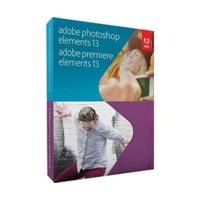
Graphic Tools / Series: Adobe Photoshop Elements / Platforms: Mac, Windows / Version: Full Version / Language: English / Package Contents: Adobe Photoshop Elements, Adobe Premiere Elements / Special Feature: Slideshow Creation / Number of User Licenses: 1 / Licence Type: Single User / minimale...

Graphic Software / Series: Adobe Photoshop Elements, Adobe Premiere Elements / Platforms: Windows, Mac / Version: Full Version / Language: English / Distribution Form: Box / Package Contents: Adobe Premiere Elements, Adobe Photoshop Elements / Applications: Repair Tools, Repair Work, Multimedia and...

Graphic Software / Series: Adobe Photoshop Elements, Adobe Premiere Elements / Platforms: Windows, Mac / Versions: Full Version, Student version / Language: English / Suitable for: Professionals / Distribution Form: Box / Package Contents: Adobe Premiere Elements, Adobe Photoshop Elements /...

Graphic Software / Series: Adobe Photoshop Elements, Adobe Premiere Elements / Platforms: Mac, Windows / Version: Full Version / Language: German / Suitable for: Professionals / Distribution Form: Box / Package Contents: Adobe Premiere Elements, Adobe Photoshop Elements / Applications: Repair...
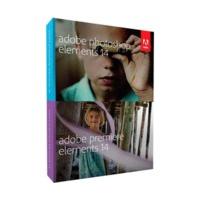
Graphic Software / Series: Adobe Photoshop Elements, Adobe Premiere Elements / Platforms: Windows, Mac / Versions: Full Version, Student version / Language: English / Distribution Form: Box / Package Contents: Adobe Premiere Elements, Adobe Photoshop Elements / Applications: Repair Tools, Repair...

Adobe Director 12 and Adobe Shockwave Player software help you create and publish compelling interactive games and eLearning courses for the web, iOS devices, Mac and Windows desktops, DVDs, and CDs. Integrate virtually any major file format, including FLV, swf and native 3D content. Publish to iOS...

**Adobe require proof of eligibility before issuing the serial number after purchase. Adobe Photoshop software, the professional image-editing standard, helps you work more efficiently, explore new creative options, and produce the highest quality images for print, the Web, and anything else.

Bring your photo and video collection to life in vibrant home movies and photo creations you\'ll enjoy for years to come. Adobe Photoshop Elements plus Adobe Premiere Elements software makes it easy to edit and create using automated options, share photos and movies with your social network, and...
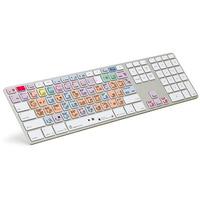
This full size ultra-thin aluminium Apple Logickeyboard with two USB 2.0 ports is compatible with the Adobe Lightroom 5 software and designed to boost productivity. The keyboard contains a variety of shortcuts that are colour coded in 8 distinctive keycap colours. The keyboard offers a great way to...
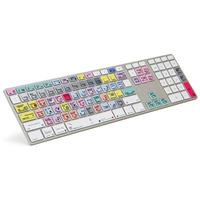
LogicKeyboard shortcut keyboard for Adobe Photoshop CC has its base on the original Apple ultra-thin aluminium keyboard. It offers plug-and-play setup with any current or recent USB-equipped Apple Macintosh computer, has a good feel and stylish modern appearance. The shortcut keyboard for Adobe...

This compact and reliable A4 B&W laser printer boasts Adobe PostScript support for fast, high-quality results, plus a great choice of cloud and connectivity options for today’s mobile devices. Key Features Compact, reliable A4 B&W laser printer for small workgroups and businesses Rapid, high...

Adobe® Contribute® 6.5 software is a powerful web publishing and website management tool that integrates authoring, reviewing, and publishing in an easy-to-use WYSIWYG HTML editor. Increase web publishing productivity while simplifying oversight and approval tasks. Contribute 6.5 also includes...

Adobe® eLearning Suite 6.1 software is an integrated toolbox for creating eLearning and HTML5-based mLearning content. Get the best tools for application simulation, product demos, digital imaging, rich animations, and audio production. Accelerate development with rapid prototyping, roundtripping...

Get everything you need for videos Use Adobe Premiere Elements software for all your video needs. Import and easily find and organize clips. Edit them yourself or use automated options. Share your clips and movies on virtually any screen. Easily do more with video clips and photos Make all your...

Location. Located in Hollywood (South Fort Lauderdale), Adobe Hacienda Motel is close to Hollywood Beach Golf Resort, The ArtsPark at Young Circle, and Art and Culture Center of Hollywood. Also nearby are Sheridan Square Shopping Center and West Lake Park. Property Features. Wireless Internet...

Location. Situated in Holbrook, Magnuson Hotel Adobe Inn is close to Navajo County Historical Society Museum, Hidden Cove Golf Course, and Northland Pioneer College. Also nearby is Navajo County Government Complex. Property Features. Magnuson Hotel Adobe Inn has an outdoor pool and a fitness...

Location. Situated in Cascade, Adobe Inn at Cascade is in the mountains and area attractions include Cave of the Winds, Manitou Springs Cave Dwellings, and Garden of the Gods. Additional area attractions include Pikes Peak and Manitou Incline. Property Features. Complimentary wireless Internet...

Shimmery bronze-brown mineral eyeshadow 100% natural, highly pigmented mineral formula Oil free, cruelty free and BUAV approved Beautiful Me Mineral Eyeshadows Adobe Brick is from the \'Burning Spirit Collection\'; a shimmery bronze, brown mineral eyeshadow that\'s fabulous for all eye colours. Try...

Create industry leading publications with the Accredited Adobe In-Design Course\r Feel comfortable with all the tools and unleash your creativity\r Give your CV a boost when you add an Indesign Accreditation to it\r 30 hours of study\r Learn from anywhere with an internet connection \r No...

Make the most of your photos with Adobe Lightroom for Beginners\r Ideal for amateur photographers or those looking for a career in photography or editing\r Learn how to alter colours, improve vibrancy, straighten shots and more\r See Full Details for course syllabus\r Course takes approximately 30...
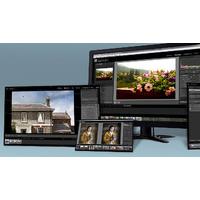
Learn the art of the perfect picture with the Adobe Lightroom Photo Editing Course\r Master the basic techniques and features of the software\r Includes a trial of Adobe Lightroom\r The course has 5 modules\r For module breakdown, please refer to Full Details\r Learn from expert-led video...

Adobe® Contribute® 6.5 software is a powerful web publishing and website management tool that integrates authoring, reviewing, and publishing in an easy-to-use WYSIWYG HTML editor. Increase web publishing productivity while simplifying oversight and approval tasks. Contribute 6.5 also includes...

Adobe Flash Builder 4.7 software is a development environment for building games and applications using the ActionScript language and the open source Flex framework. Flash Builder Premium includes professional testing tools such as profilers, network monitoring, and unit testing support. Develop...
With Acrobat DC, Adobe is taking the world\'s best PDF solution to an entirely new level. With an intuitive, touch-enabled interface, Acrobat DC delivers powerful new functionality to get work done anywhere. The new Tool Center offers simplified and quick access to the tools you use most. And,...

Adobe Flash Builder 4.7 software is a development environment for building games and applications using the ActionScript language and the open-source Flex framework.

Adobe FrameMaker (2015 release) is a complete solution for bidirectional technical content. Publish natively across channels, mobile devices and formats and author with best-in-class XML/DITA support. Collaborate seamlessly with experts, and manage content using integration with leading CMSs.

**Adobe require proof of eligibility before issuing the serial number after purchase. Interactive videos, do it fast do it yourself Create, edit and publish rich, interactive HD videos in just 3 steps. Capture anything on your screen or your webcam feed, or bring in videos from your tablet, phone,...

Adobe RoboHelp (2015 release) empowers you to deliver engaging help and policy content across mobile devices, formats, and platforms. Publish content as mobile apps, or in HTML5, EPUB 3, KF8, and MOBI. Help users find relevant content faster with dynamic content filters. Work more productively with...

Adobe Technical Communication Suite is an indispensable toolkit for content developers. Easily author bidirectional XML/DITA content, create training modules and video presentations, collaborate seamlessly with experts and reviewers, and deliver dynamic content experiences across mobile devices,...

Adobe Photoshop Lightroom software provides a comprehensive set of digital photography tools, from powerfully simple one-click adjustments to cutting-edge advanced controls. Create images that inspire, inform, and delight. Get a start-to-finish toolset Organize, perfect, and share your images using...

**Adobe require proof of eligability before issuing the serial number after purchase. Interactive videos, do it fast do it yourself Create, edit and publish rich, interactive HD videos in just 3 steps. Capture anything on your screen or your webcam feed, or bring in videos from your tablet, phone,...

**Adobe require proof of eligibility before issuing the serial number after purchase. Rapid eLearning authoring From storyboarding to responsive eLearning, create virtually any kind of professional looking and instructionally sound content using a single tool. Add interactive elements to transform...

**Adobe require proof of eligability before issuing the serial number after purchase. Rapid eLearning authoring From storyboarding to responsive eLearning, create virtually any kind of professional looking and instructionally sound content using a single tool. Add interactive elements to transform...

Adobe Captivate software offers you enhanced support for HTML5-based eLearning content and also lets you create courses that meet accessibility standards. Add more interactivity to your courses with drag-and-drop modules, YouTube video streaming and in-course web browsing. Record system audio along...

Adobe Captivate software offers you enhanced support for HTML5-based eLearning content and also lets you create courses that meet accessibility standards. Add more interactivity to your courses with drag-and-drop modules, YouTube video streaming and in-course web browsing. Record system audio along...

Adobe Presenter 11 software lets you create HD video lectures for classroom teaching, distance learning, flipped learning and MOOC sessions. Simultaneously capture your screen content along with your webcam video or turn your slides into interactive eLearning with out-of-the-box assets and...

Image Organiser, RAW Converter / Series: Adobe Photoshop Lightroom / Platforms: Mac, Windows / Version: Full Version / Language: English / Suitable for: Professionals / Distribution Form: Box / Applications: Image Managing, Photo Conversion / Special Features: HDR, Panorama, Slideshow Creation,...
Graphic Software / Series: Adobe Photoshop Elements / Version: Full Version / Language: English / Applications: Raster Image Editing / Special Feature: RAW Editing / Number of User Licenses: 1 / Licence Type: Single User
Graphic Software / Series: Adobe Photoshop Elements / Platforms: Windows, Mac / Version: Upgrade / Language: English / Suitable for: Professionals / Distribution Form: Box / Applications: Portrait Optimisation Tool / Number of User Licenses: 1 / Licence Type: Single User / minimale Betriebssysteme:...
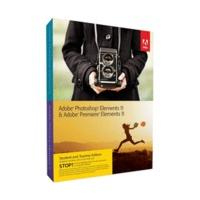
Video Cutting Software, Video Authoring Software / Series: Adobe Premiere / Versions: Full Version, Student Version / Platforms: Mac, Windows / Language: English / Licence Type: Single User / Special Features: Non-Linear Video Montage, Non-Destructive, Colour Correction, Blue- and Green-Screen /...
 Mr Key Shop
 Keyzing
 Software Pal
 Unity Soft, The
 Wondershare
 Ayoa
 Softkeycart
 Nuance
 I Fax App
 Keycense
 Blitzhandel 24